Restore PBX from a Backup
If there is a problem of your customer's PBX, you can restore the PBX from a backup.
- Go to .
-
Click
 beside
the desired PBX.
beside
the desired PBX.
- On the Settings page, click Restore tab.
-
Click
 beside a
backup file to restore PBX from the backup.
Note:
beside a
backup file to restore PBX from the backup.
Note:- The name format of the automatically created PBX backup file is
auto_[YMP_VERSION]_[BACKUP_TIME]_[PBX_VERSION].
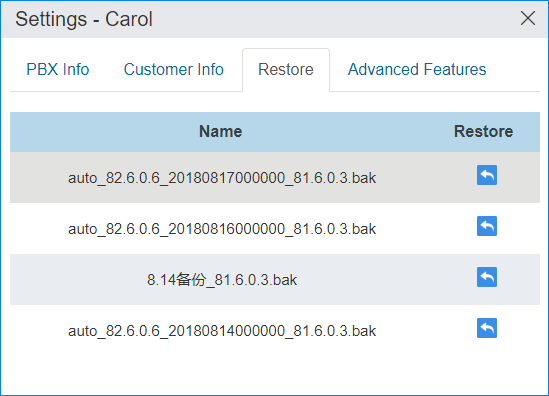
- The name format of the automatically created PBX backup file is
- In the pop-up dialog, click Confirm and restart the PBX.