Enable YMP API
Before you start, you need to enable API access on the YMP web interface.
- Log in the YMP web interface, go to .
- Check the option Enabled to enable YMP API.
-
In the Access Control section, obtain the API
credentials and configure the permitted IP addresses.
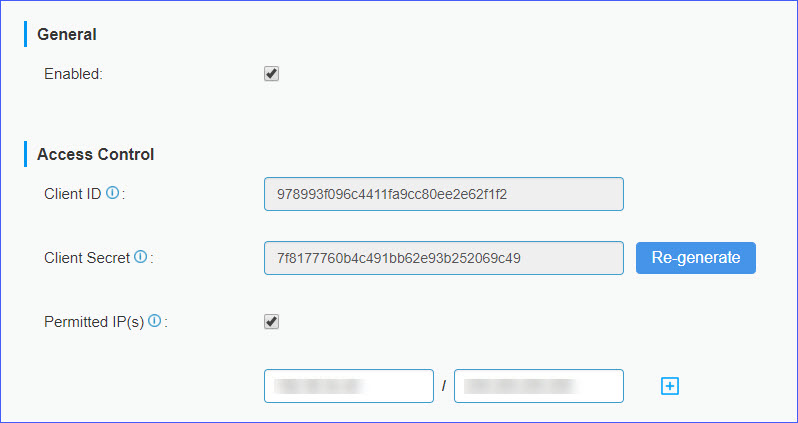
- Client ID: Read only. Client ID is used to request API access token.
- Client Secret: Read only. Client Secret is used
to request API access token.Note: Regenerate the Client Secret if the API access token is stolen.
- Permitted IP(s): Optional. Check the option
Permitted IP(s), and enter the permitted IP
address and subnet mask. Note: Only the permitted IP address can access YMP APIs.
- Click Save.