Release Notes for Linkus (Web)
Updates in September 21, 2026
 PBX Dependency: Version 83.24.0.122 or later
Added support for Croatian, Serbian, and Slovenian interface languages.
Updates in August 25, 2026
PBX Dependency: Version 83.24.0.73 or later
- Added support for Call Confirmation feature. You can
configure call confirmation for call forwarding (to external/mobile numbers)
or mobile number simultaneous ringing. When enabled, the external recipient
of a forwarded or simultaneously ringing call is prompted to press a key to
confirm acceptance before the call is connected, preventing calls from being
inadvertently routed to voicemail or unanswered destinations.
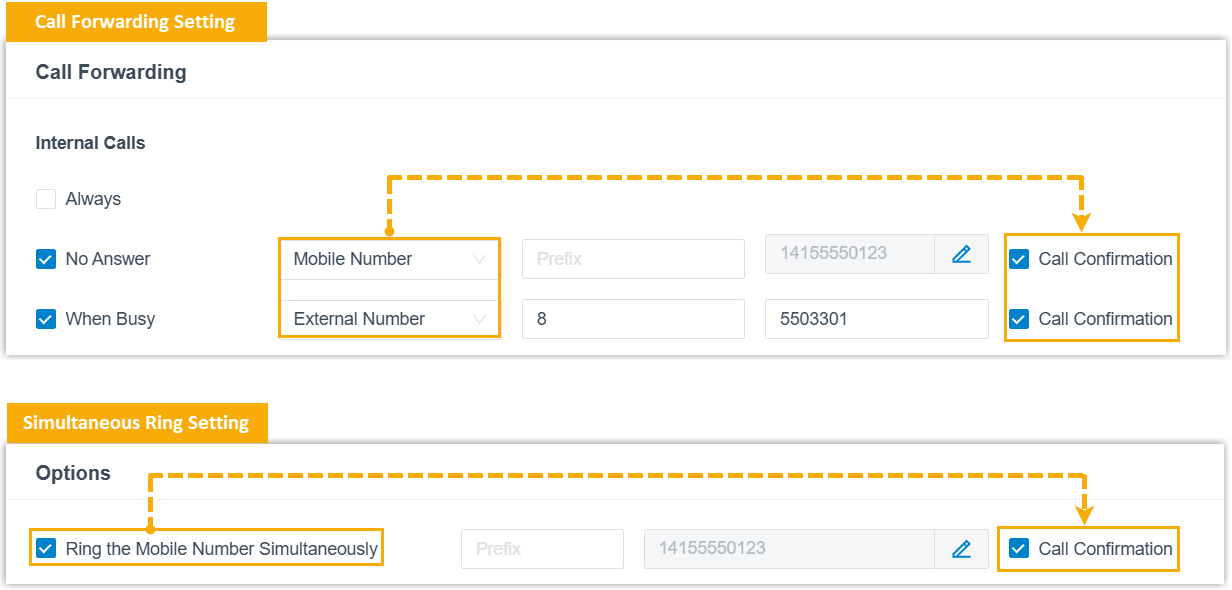
For more information, see Configure Call Confirmation.
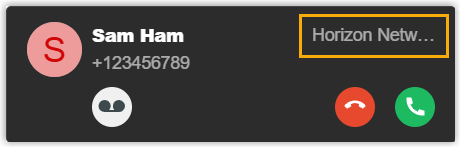
- Optimized the contact display:
- Added support for displaying company name on the incoming call
window.
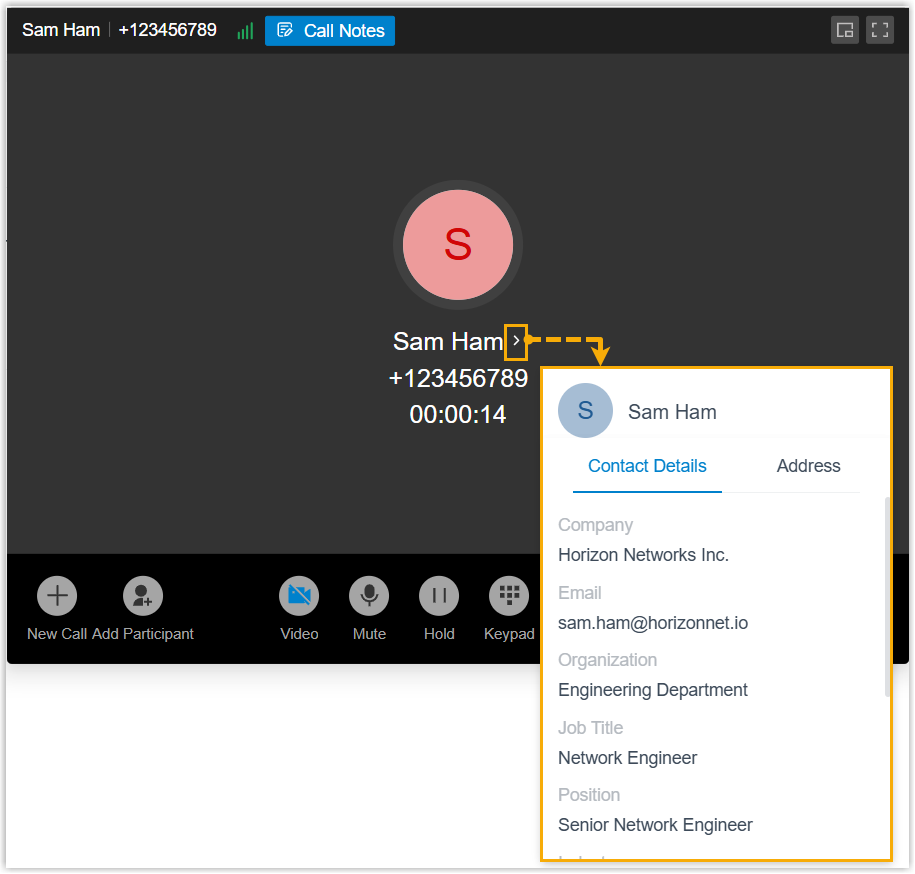
-
Added support for viewing contact details directly from the call screen during a call.
- Added support for viewing contact's company name in call log
list.

- Added support for displaying company name on the incoming call
window.
- Optimized the External Chat feature: Added support for the following
message interaction operations:
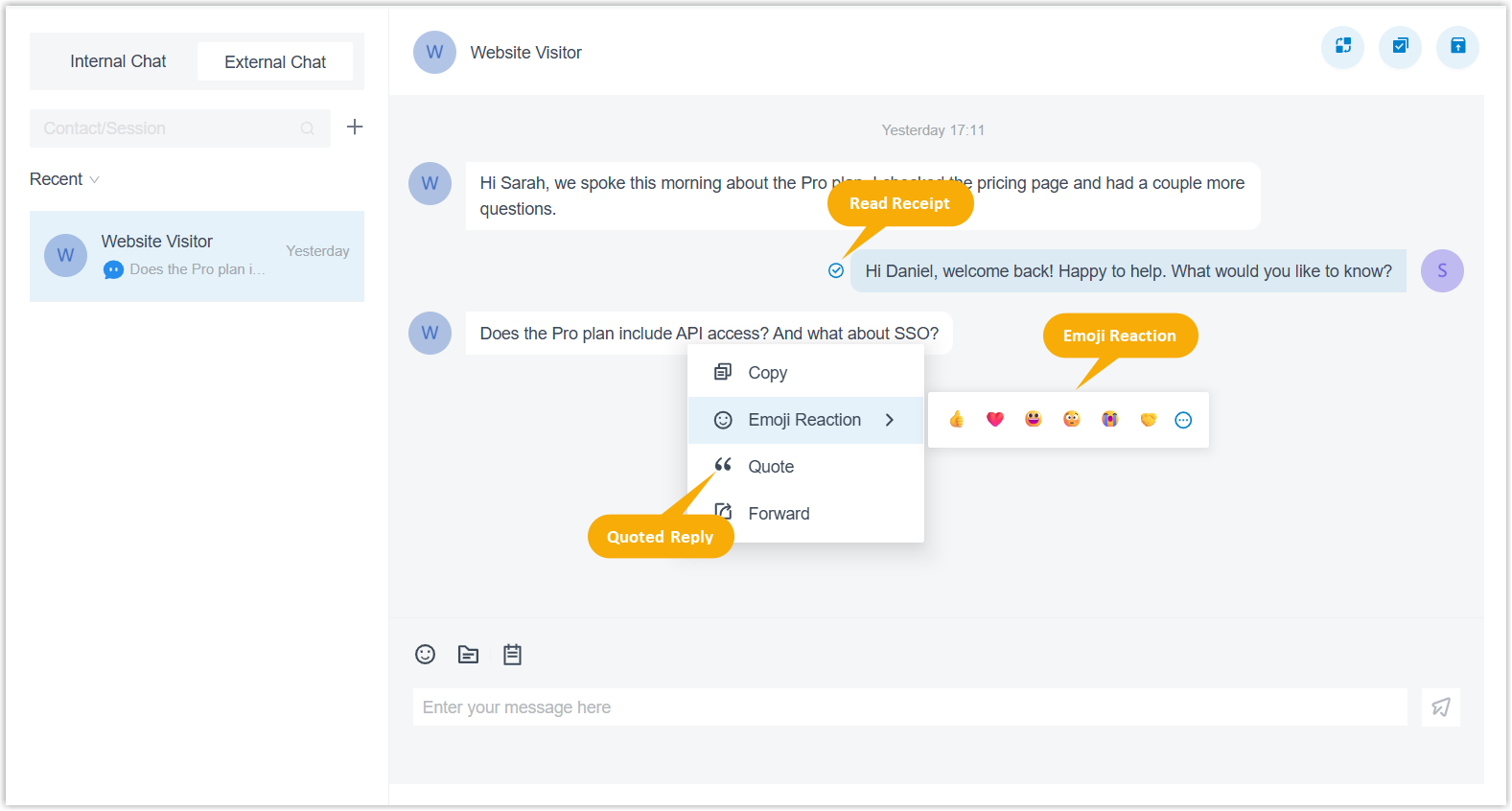
- Read Receipt: See whether your messages have been
read by the other side.Note: This feature depends on the system configurations.
- Quoted Reply: Reply to a specific message with the original message quoted for context.
- Emoji Reactions: React to a message with an emoji, without typing a reply.
- Read Receipt: See whether your messages have been
read by the other side.
Updates in July 28, 2026
PBX Dependency: Version 83.24.0.30 or later
- Optimized Voicemail feature:
- The
 (Send to
Voicemail) button appears on the incoming call
window only if the Voicemail is enabled for your extension
(Path: ).
(Send to
Voicemail) button appears on the incoming call
window only if the Voicemail is enabled for your extension
(Path: ). - In the Voicemail list, voicemail messages forwarded to your extension are listed by forwarding time rather than recording time, making them easier to locate.
- The
- Fixed the call issue: When users logged into Linkus client using an external hostname, there was no audio during calls.
- Fixed issue of contact matching: Dialing feature code
*059incorrectly matched a CRM contact. - Fixed the CTI mode issue: After setting Linkus Web Client to control Linkus Mobile Client and initiating calls via the Linkus Web Client, tapping the answer button on the Linkus Mobile Client failed to establish the call.
Updates in June 29, 2026
PBX Dependency: Version 83.23.0.123 or later
- Added support for Catalan and Hungarian interface language.
- Added support for call quality monitoring.
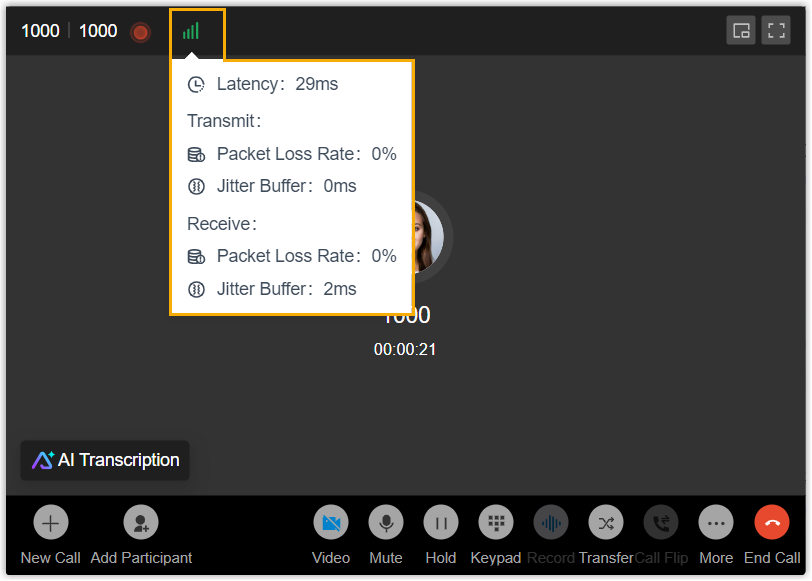
- During an active call, you can view the
real-time call quality data from the call screen.
-
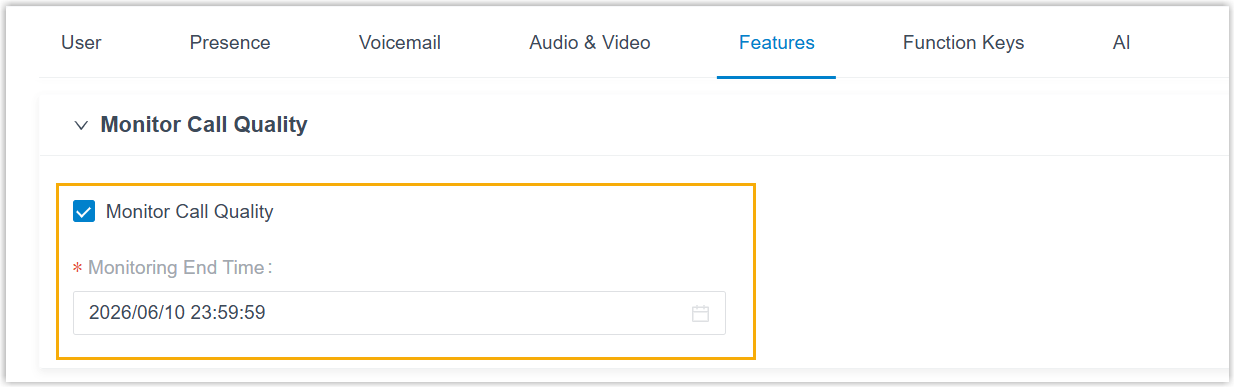
If the system administrator has granted you the relevant client permission, you can enable the Monitor Call Quality feature for your extension on Linkus (Path: ).
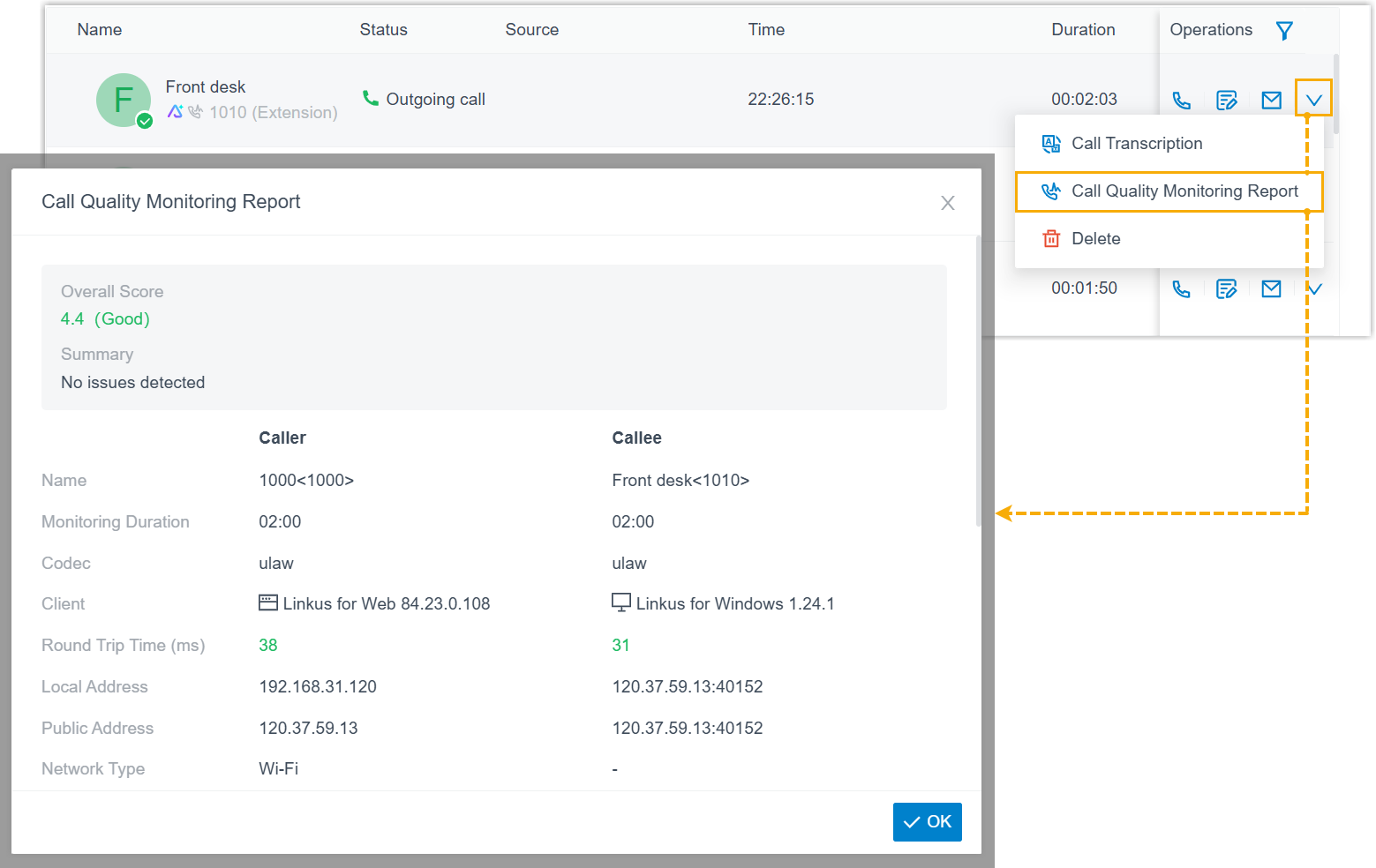
When enabled, Linkus automatically collects the call quality data during a call and generates a call quality monitoring report after the call ends. You can view the report from the corresponding call log.
For more information, see Enable Call Quality Monitoring.
- During an active call, you can view the
real-time call quality data from the call screen.
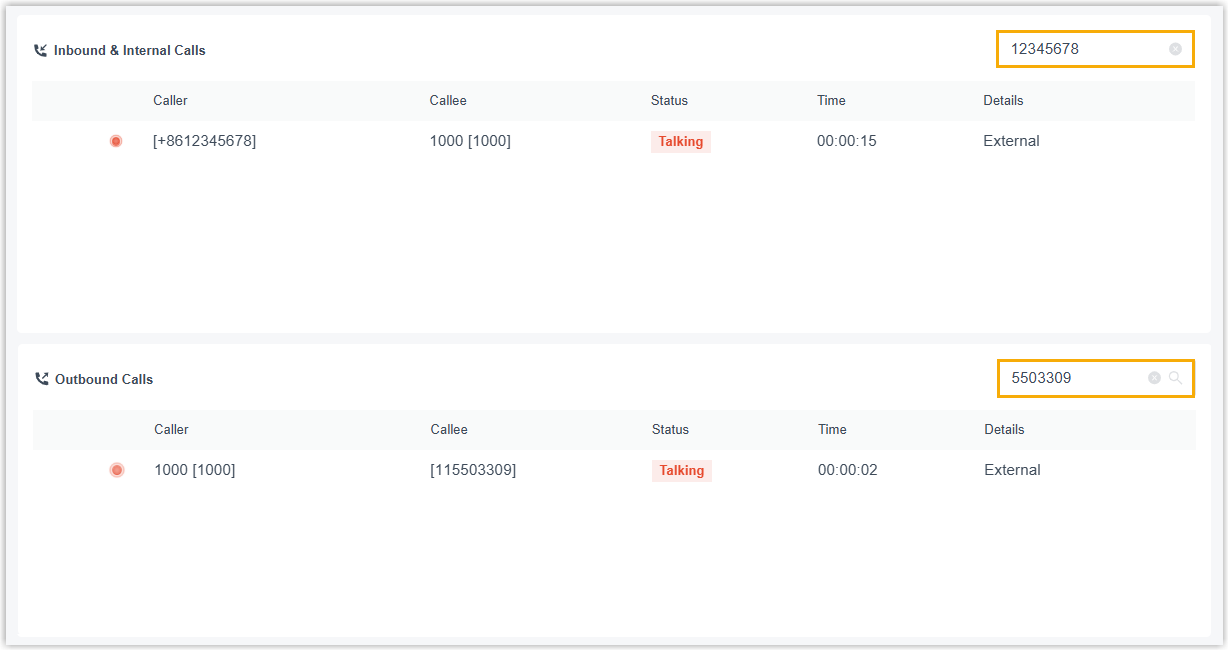
- Optimized the Operator Panel: Added support for
searching and filtering specific calls by caller or callee number(s) in the
Inbound & Internal Calls and Outbound
Calls panels. Note: You can enter one or multiple numbers to search the desired calls. Use commas to separate multiple numbers (e.g., 1001,1002,1003).
- Optimized Dialpad feature: Added support for entering the
character
+by long pressing0on the dialpad.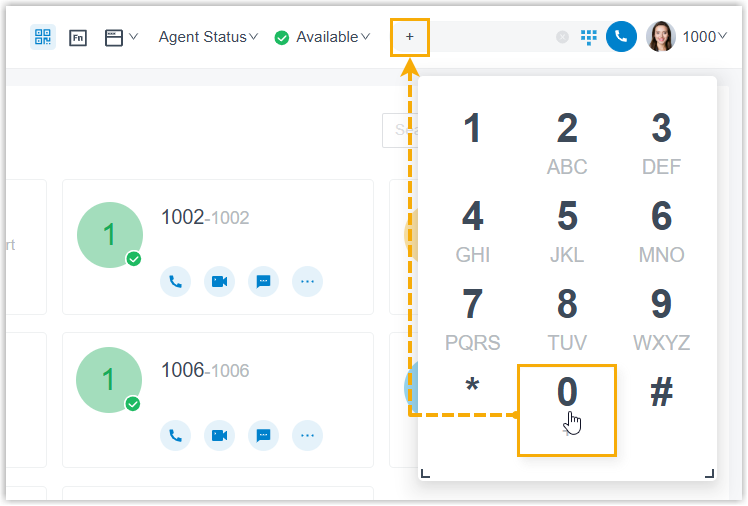
Updates in May 25, 2026
PBX Dependency: Version 83.23.0.83 or later
- Added compatibility with AI Receptionist feature:
- When receiving a call transferred from the AI receptionist, the incoming
call window displays a tag
From AI Receptionistto indicate that the call originates from the AI receptionist.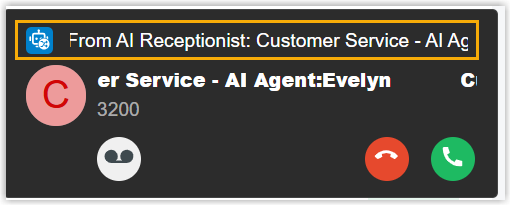
- After answering a call transferred from the AI
receptionist, the call window displays an AI
Insights tab containing the following
information:
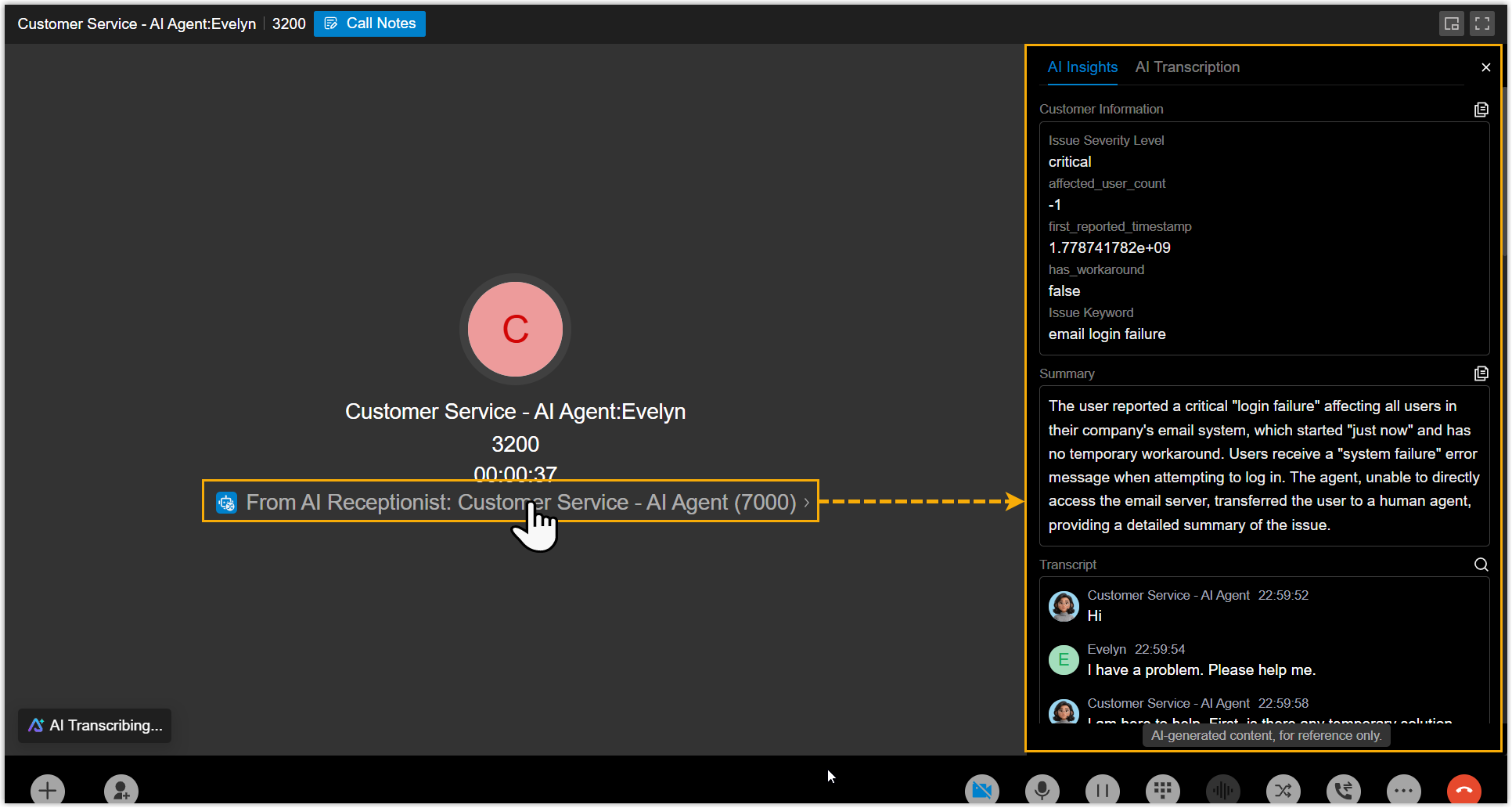
- The customer information collected by the AI receptionist.
- The call transcript and summary generated by the AI receptionist.
Note:-
This information is visible only to the first person who answers the transferred call. It is no longer displayed after the call becomes a multi‑party call or is transferred again.
-
Whether customer information is displayed depends on the AI Receptionist configuration on the PBX.
- When sending call details via email from the call
window, the displayed customer information is automatically included in
the email content.

- When receiving a call transferred from the AI receptionist, the incoming
call window displays a tag
- Optimized Function Key feature: Added support for
configuring a function key to monitor and pick up calls for a specific extension
group member (Path: ):
- When configuring a function key, if you select the
Type as BLF, you
can choose an extension group you belong to, so as to monitor the
incoming call status and pick up calls for that group.

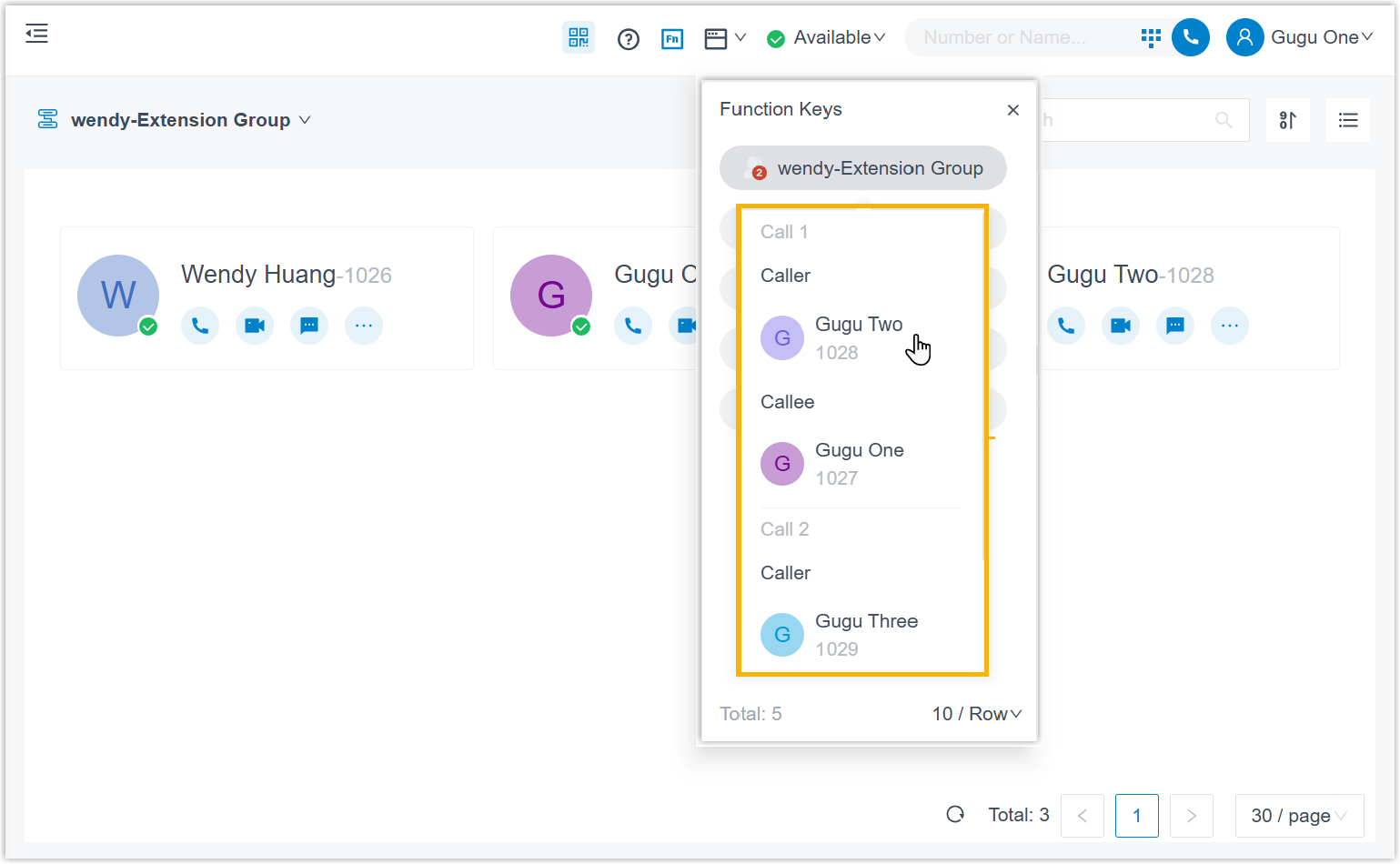
- When there are multiple incoming calls in the monitored extension
group, hovering over the function key displays the list of the
incoming calls, allowing you to select which call to pick up.Note:
- Up to 10 calls can be displayed at once.
- If you click the function key directly, the first incoming call will be picked up.
- When configuring a function key, if you select the
Type as BLF, you
can choose an extension group you belong to, so as to monitor the
incoming call status and pick up calls for that group.
-
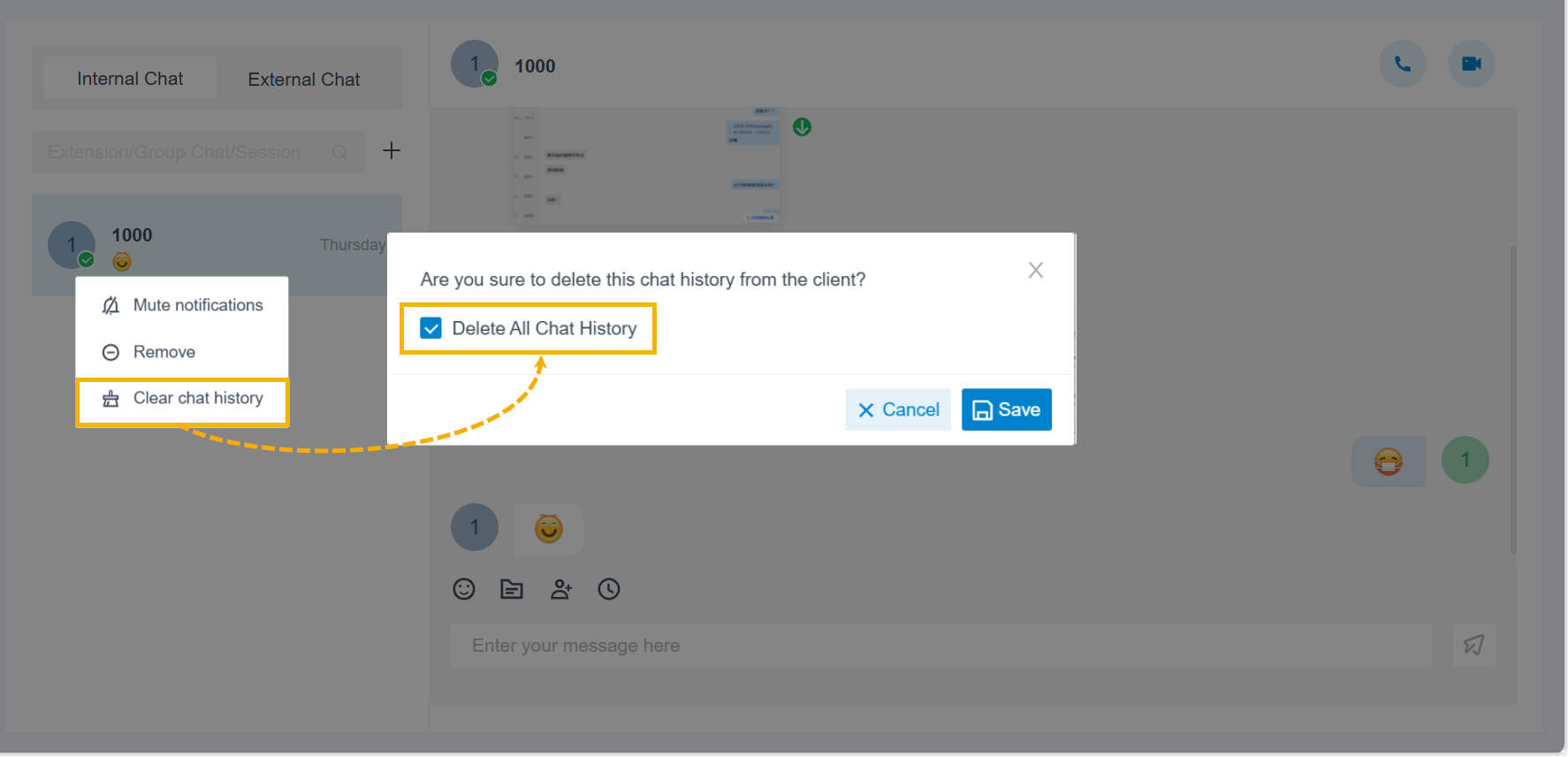
Optimized Internal Chat feature: Added support for permanently deleting all chat history within a single chat session.
When you click Clear chat history on a session, you can select the Delete All Chat History option from the pop-up window to permanently remove the chat history from both Linkus clients and the server.
- Optimized External Chat feature: For a WhatsApp session,
if no matching number is found among existing contacts, Linkus uses the
recipient's WhatsApp profile name as the session name.Note: The session name updates only when the recipient replies to your message.
Updates in April 23, 2026
PBX Dependency: Version 83.23.0.23 or later
-
Added compatibility with the following system-level configurations:
- When you receive a call forwarded from another extension, the original extension's name and number may be displayed on the call window based on the Caller ID display strategy configured by the system administrator.
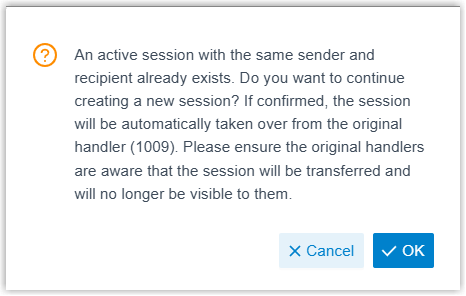
- When you create a session on an SMS or WhatsApp channel, but another session with the same sender and receiver already exists on the channel, a prompt may appear based on the system administrator's messaging channel settings. If you continue, you will take over the session from the original handler, along with the complete chat history.
-
- Optimized Voicemail feature:
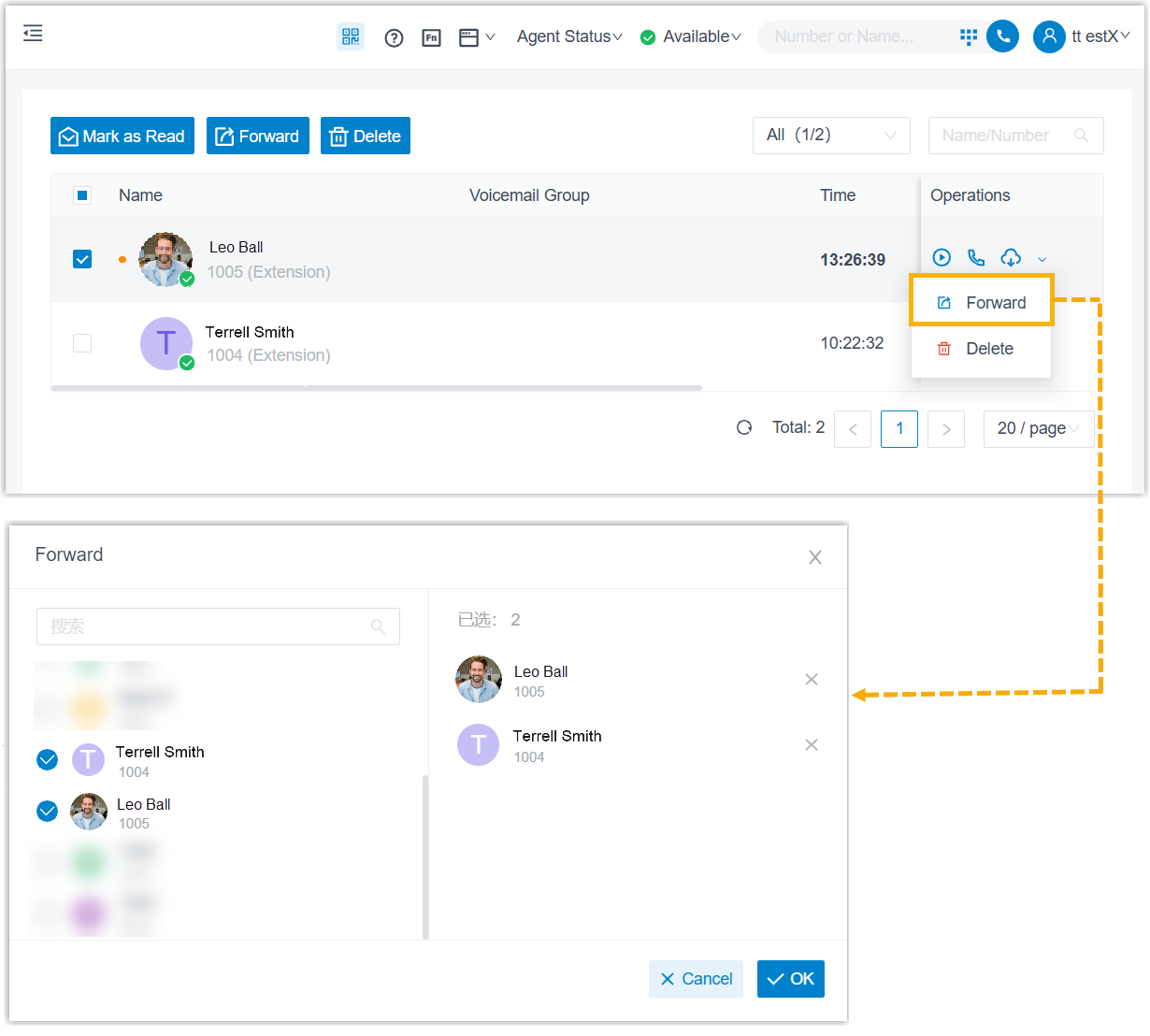
- Added support for forwarding voicemails to specified extensions.
For more information, see Manage Your Voicemails.
- When you dial feature code to play a voicemail forwared from another extension, the Linkus client will play a voice prompt that includes the number of the extension from which the voicemail was forwarded.
- Added support for forwarding voicemails to specified extensions.
- Optimized Call Notes feature: If you click
 while editing
call notes, the Linkus client will automatically save the latest content of the
call notes and add it to the email for delivery.
while editing
call notes, the Linkus client will automatically save the latest content of the
call notes and add it to the email for delivery.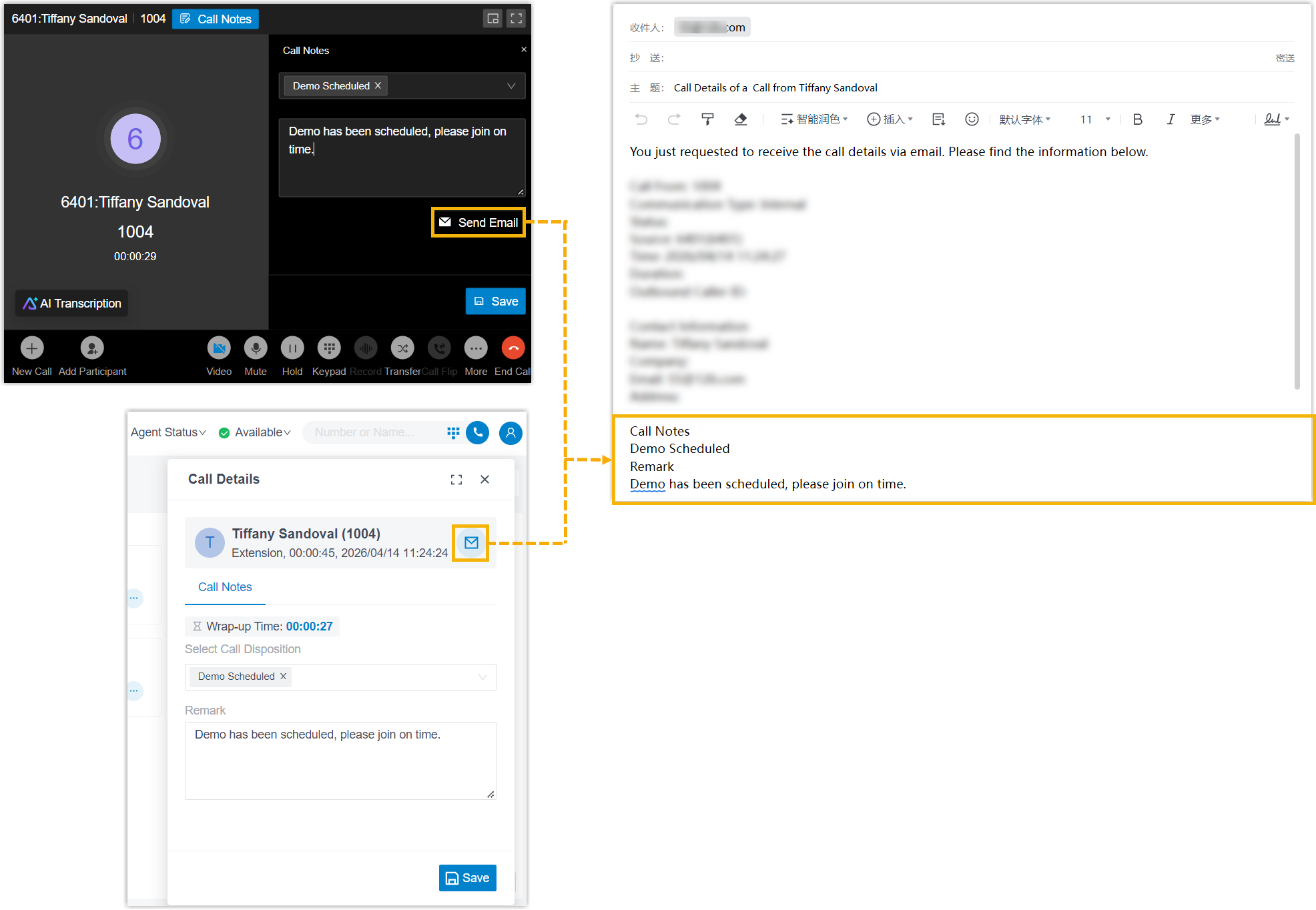
Updates in March 30, 2026
PBX Dependency: Version 83.22.0.134 or later
- Added compatibility with the following system-level configurations.
- If system administrator has set Linkus Web Client Concurrent Registrations to a value greater than 1 for your extension, you can log in to multiple Linkus Web Clients simultaneously.
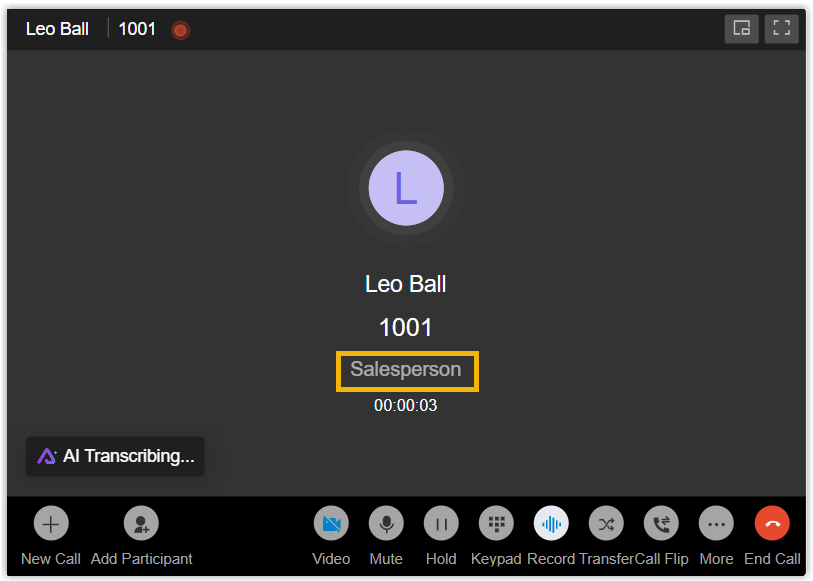
- If the system administrator has configured remark for a speed dial
number on the PBX server, when you dial the speed dial number using
feature code, the remark will display below the phone number on the
call window.
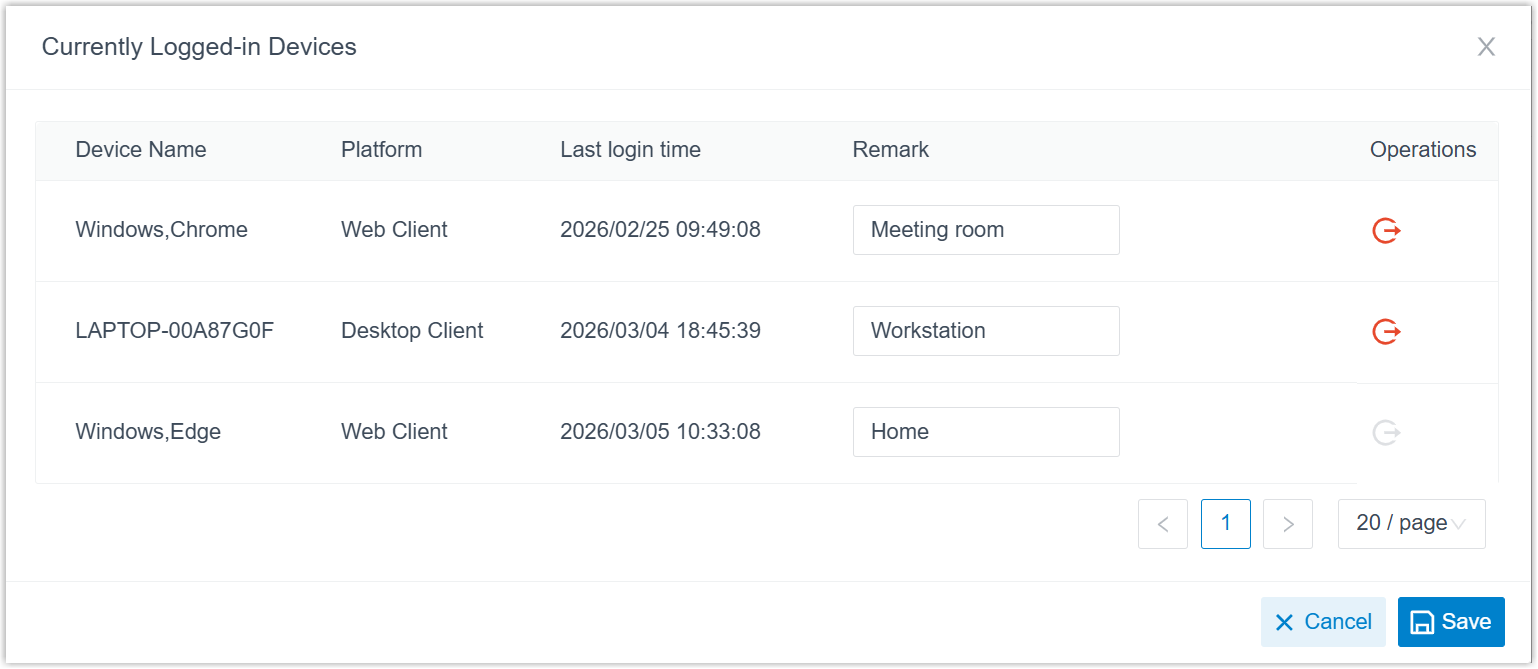
- Added support for managing all Linkus UC
Clients logged into your extension (Path: ).
For more information, see Manage Logged-in Linkus Clients.
- Optimized Yeastar CTI feature: You can use Linkus Web Client to
control Linkus Mobile Client via CTI.In this way, the Linkus Web Client acts as a visual control panel on which you can perform the call operations such as dialing, recording, and hanging up, while the audio stream is transmitted through the connected Linkus Mobile Client.Note: To achieve this, the version of Linkus Mobile Client meets the following requirements:
- Linkus iOS Client: 5.24.13 or later.
- Linkus Android Client: 5.24.7 or later.
Updates in January 13, 2026
PBX Dependency: Version 83.21.0.117 or later
- Added support for setting the theme mode for Linkus Web Client.
By default, the Linkus Web Client automatically follows the theme setting of your web browser. You can also manually switch the system theme to Light Mode or Dark Mode according to your preference.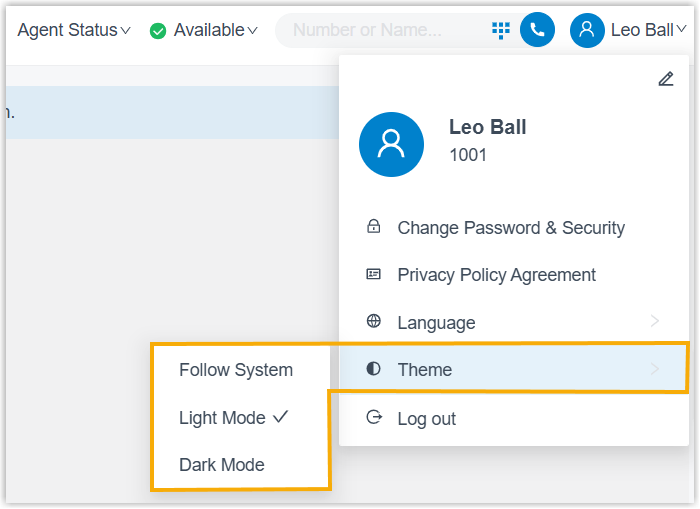
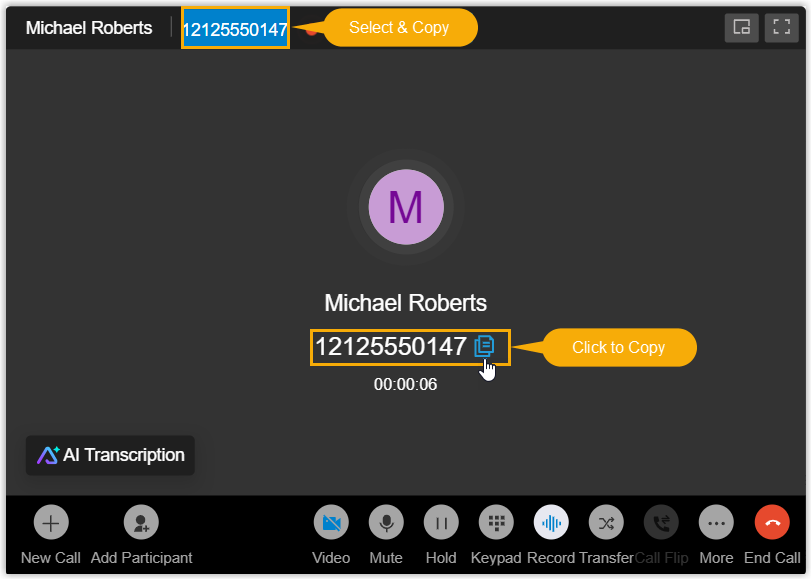
- Optimized call experience: The call window displays the caller ID of the
other participant(s) and allows you to conveniently copy it by either of the
following methods:
- Click to Copy: Click the button beside the number to copy it.
- Select & Copy: Select the number and use keyboard shortcut to copy it.
- Fixed the video conference issue: All video feeds appeared mirrored in the conference.