Manage SIP Trunks
This topic describes how to manage SIP trunks, such as editing and deleting trunks.
Edit a SIP trunk
Note: Ensure that you have permission to edit
SIP trunks. If the  button is not
available,
contact your service provider to grant the permission to your account.
button is not
available,
contact your service provider to grant the permission to your account.- Log in to NovoOne Platform portal, go to .
- In the trunk list, click beside the desired trunk.
- Edit the trunk settings as needed.
- Click Save.
Delete SIP trunks
Note:
- Ensure that you have permission to delete SIP trunks. If the
 button is
not
available,
contact your service provider to grant the permission to your account.
- This action will automatically delete all related configurations, including trunk assignments and DID associations. This may affect ongoing calls. Please proceed with caution.
- Log in to NovoOne Platform portal, go to .
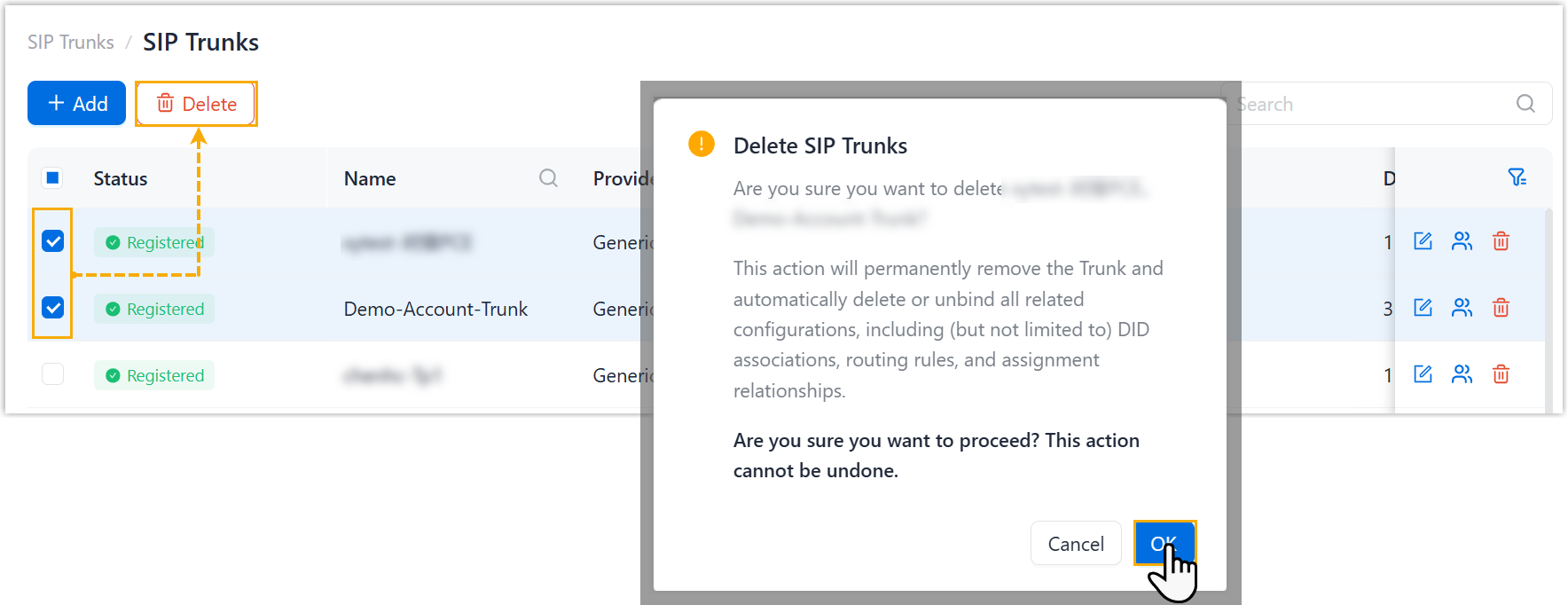
- Select the checkboxes of the desired trunks, then click
Delete and confirm the operation.