Register Yeastar Products for Points
Yeastar Point & Rebate Scheme allows you to earn points by registering your Yeastar products on Yeastar Partner Portal. When the accrued points hit a specific value within a given period, you will be credited with a higher tier, and enjoy benefits accordingly. This topic describes how to register Yeastar products to get points.

Procedure
- Log in to Yeastar Partner Portal, go to .
- On the top point information section, click Get
Points.
A Get Points window appears on the right side.
- To register one Yeastar product, do as follows:
- In the Type field, select Normal.
- Fill in the following information.
Item Description Product Select the product that you want to register. Product ID Enter the unique product identifier. - For PBX products and Linkus Cloud Service, enter the Serial Number (SN) of the device.
- For Remote Management service and P-Series Cloud Edition, enter the Yeastar ID for which you subscribed to the service.
- For Workplace, enter the Company ID for which you subscribed to the service.
Purchase Date Select the date when you purchased the product. Purchase From Enter the name of the person from whom you purchased the product. End User Name Enter the end user's name. End User Company Name Enter the name of the company where the end user works. - Click Save.
- To register Yeastar products in bulk, do as follows:
- In the Type field, select Bulk Register.
- In the Download Template section, click
Download Template File.
A template file is downloaded to your PC.
- Enter the required information of multiple products in the template file.
- In the Upload File section, click Choose a File, then select the template file to upload.
- Click Save.
Result
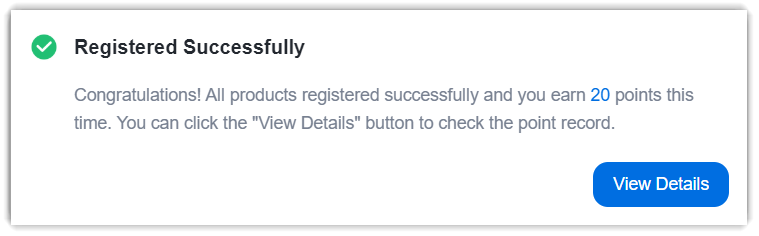
A window pops up, displaying the points that you have earned by registering the product(s).
FAQs
- Q: What can I redeem with my points?
-
The rewards and benefits that can be redeemed vary depending on your tier. You can check the benefits by clicking View Details at the top-right corner of the Tier Benefits section.
- Q: Can I track my point history?
- Yes. You can track your registration history on Yeastar Partner Portal
as follows:
- On Yeastar Partner Portal, go to .
- At the top-right corner of Redeemable Points section, click View Point Details.
- To check the history of points earned, go to Point Record tab.
- To see the products that you have registered, go to Registered Product tab.
- Q: Do my points expire?
- Yes, there is expiration date for the points. You can check the period
of validity by hovering the mouse over
 on the top
point information section.
on the top
point information section.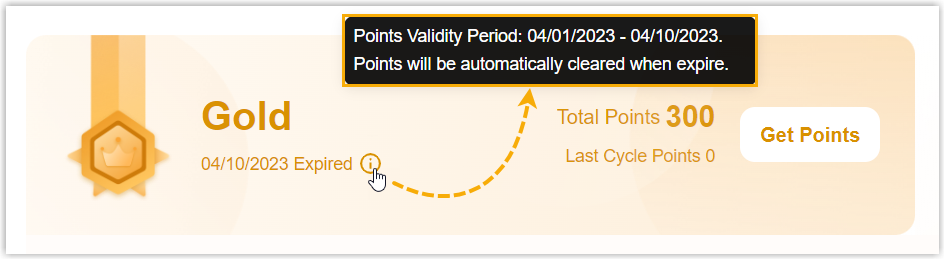
- Q: Why did I fail to register a product?
- The issue may arise from the following reasons:
- The product has been registered already.
- You haven't subscribed to any plans or services for the product yet.
- The product ID may be incorrect.
- The product may not be eligible for point registration. Note: You can check the rules in the bottom Get Points section on .