Partner Program FAQs
Browse through these FAQs to find answers to commonly raised questions about Yeastar Partner Portal Partner Program.
FAQs
- Q: What can I redeem with my points?
-
The rewards and benefits that can be redeemed vary depending on your tier. You can check the benefits by clicking View Details at the top-right corner of the Tier Benefits section.
- Q: Can I track my point history?
- Yes. You can track your registration history on Yeastar Partner Portal
as follows:
- On Yeastar Partner Portal, go to .
- At the top-right corner of Redeemable Points section, click View Point Details.
- To check the history of points earned, go to Point Record tab.
- To see the products that you have registered, go to Registered Product tab.
- Q: Do my points expire?
- Yes, there is expiration date for the points. You can check the period
of validity by hovering the mouse over
 on the top
point information section.
on the top
point information section.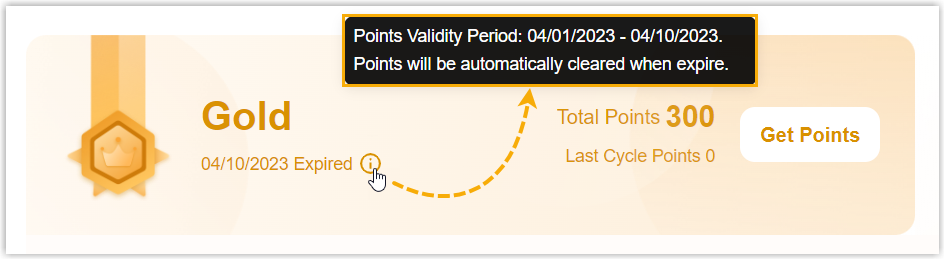
- Q: Why did I fail to register a product?
- The issue may arise from the following reasons:
- The product has been registered already.
- You haven't subscribed to any plans or services for the product yet.
- The product ID may be incorrect.
- The product may not be eligible for point registration. Note: You can check the rules in the bottom Get Points section on .
