NovoOne 68.264.0.40
Release date: November 9, 2026
Platform
This section describes the new features and improvements introduced in this release of NovoOne communications platform.
New features
- API
- Added support for Open APIs (Path: ), enabling you to integrate NovoOne with third-party systems and automate system management through APIs.
Improvements
- SIP Trunks
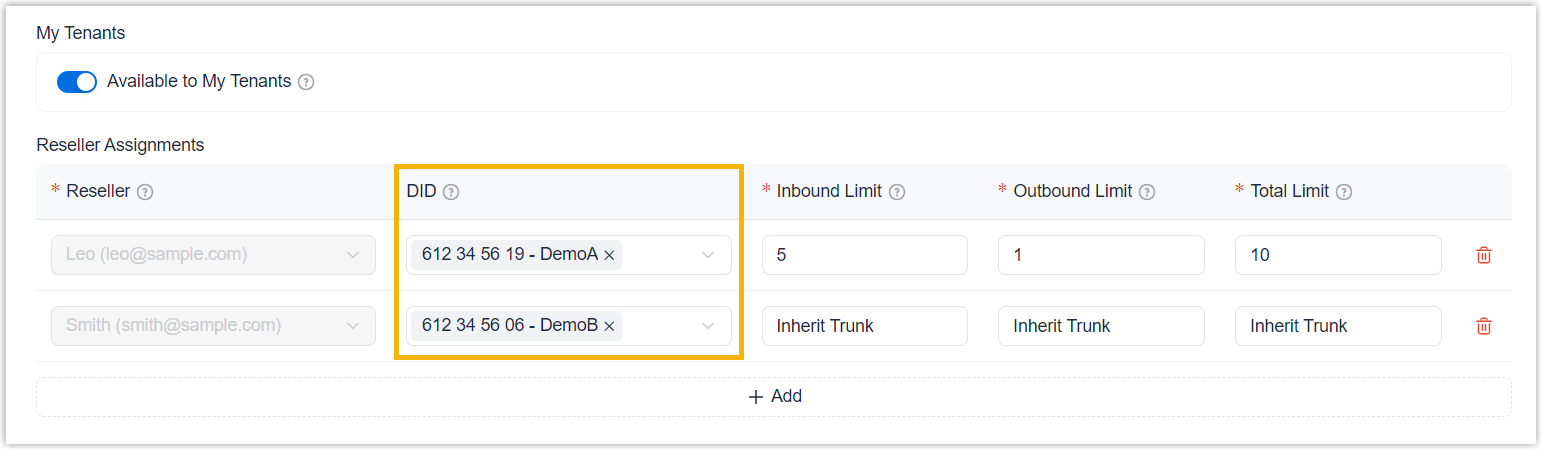
- Added support for assigning DID numbers associated with assigned SIP trunks to
resellers directly from the SIP trunk assignment page (Path: SIP Trunks > SIP Trunks >
 > Reseller Assignments > DID).
-
- Inventory
-
- Added support for assigning DID numbers to resellers directly from the DID
number list (Path: ).
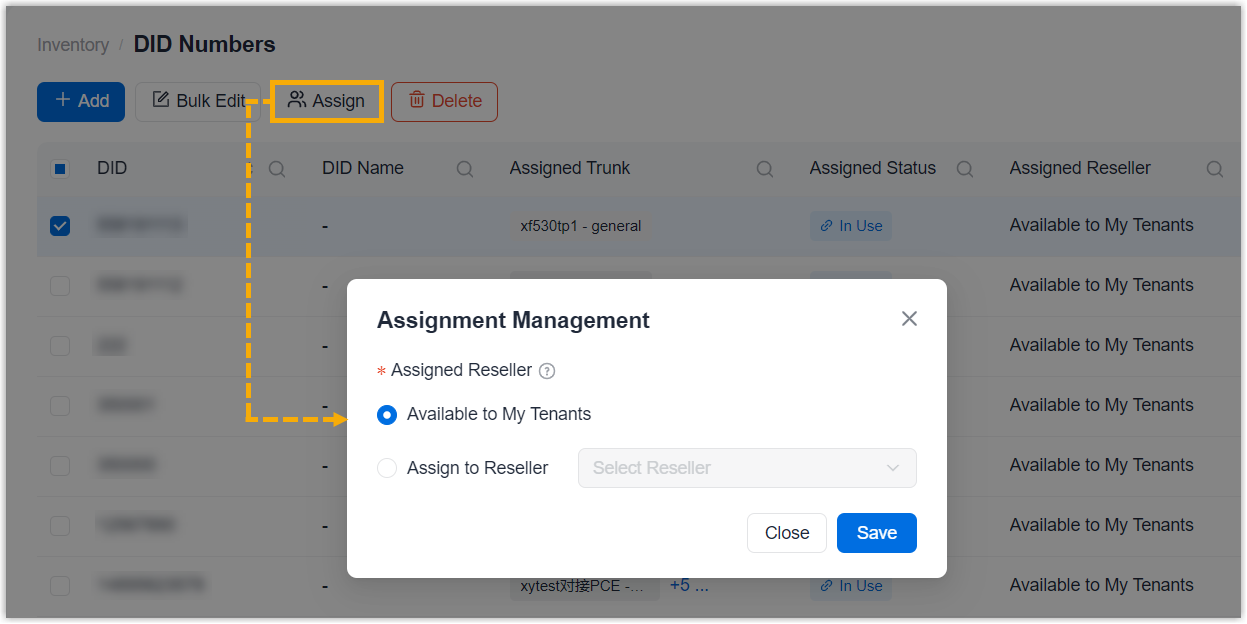
- Added support for configuring custom RPS servers (Path: ), allowing you to provision phones through custom RPS servers.
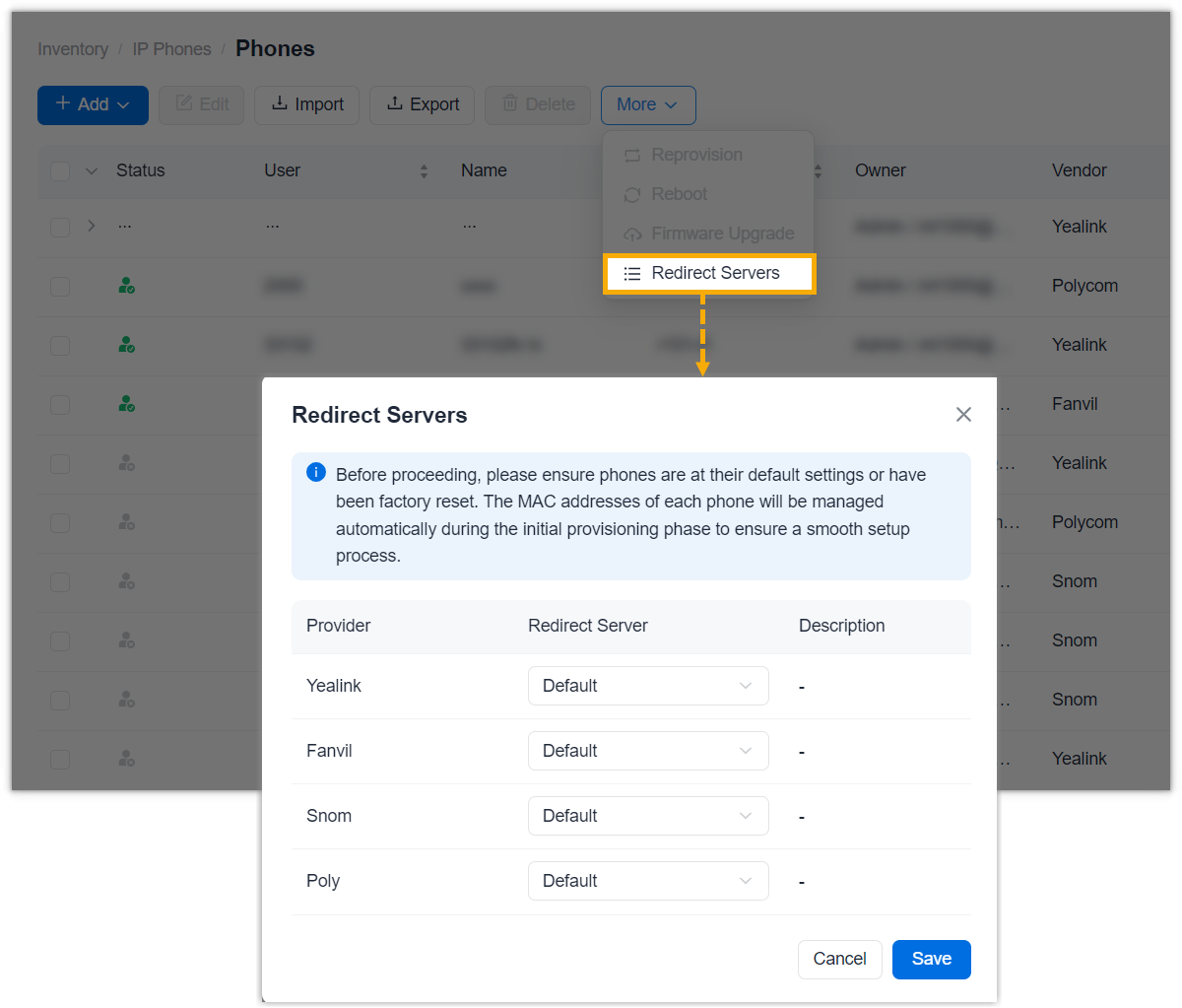
- Added support for assigning DID numbers to resellers directly from the DID
number list (Path: ).
- Alarm
- Added support for the following alarms (Path: ):
Alarm Description Platform Storage Warning The storage usage has reached 85% of the total capacity. Platform Storage Alert The storage usage has reached 95% of the total capacity.
Tenant
This section describes the new features and improvements introduced in this release of NovoOne tenant.
New features
- Speed Dial
- Added support for speed dial, allowing users to call an internal or external phone number by dialing a short code instead of the full phone number. (Path: ).
Improvements
- Users
- Added support for configuring call waiting for NovoOne Clients (Path: ), allowing users to receive incoming calls while already on a call.
- Inbound Route
-
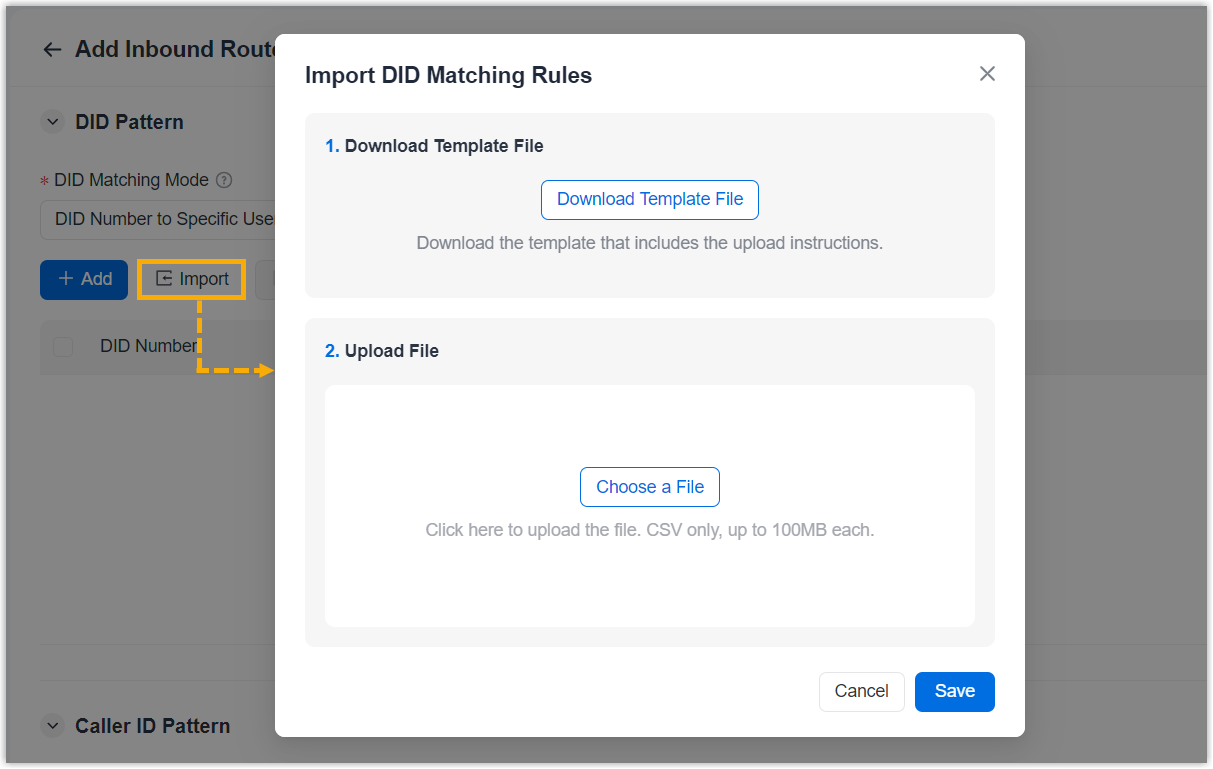
- Added support for importing users into an inbound route and matching DID
numbers to specific users (Path: ).
- Added an option Play Prompt Before Routing under
Holiday Handling setting for time-based inbound routes
(Path: ), allowing you to play a prompt before routing calls to the
holiday destination.
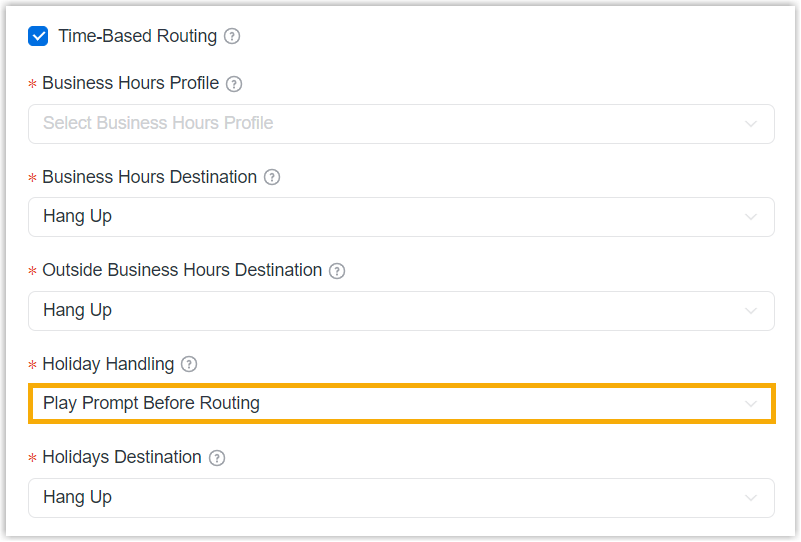 Note: The prompt is configured under .
- Added support for importing users into an inbound route and matching DID
numbers to specific users (Path: ).
- Business Hours & Holidays
- Added support for specifying a prompt for holidays (Path: ), allowing you to play a custom prompt to callers during holidays.
- AI Receptionist
-
- Added support for information collection tool (Path: ), enabling the AI Receptionist to collect key information from callers during conversations and pass it on to the next human agent.
- Added support for configuring a failover destination (Path: ), allowing you to specify the destination to route callers when the AI receptionist cannot handle a call.
- IVR
-
- Added an option Play Prompt Before Routing under
Holiday Handling setting for time-based IVRs (Path: ), allowing you to play a prompt before routing calls to the
holiday destination.
- Added an option Play Prompt Before Routing under
Holiday Handling setting for time-based IVRs (Path: ), allowing you to play a prompt before routing calls to the
holiday destination.
- Ring Group
-
- Added an option Play Prompt Before Routing under
Holiday Handling setting for time-based ring groups
(Path: ), allowing you to play a prompt before routing calls to the
holiday destination.
- Added an option Play Prompt Before Routing under
Holiday Handling setting for time-based ring groups
(Path: ), allowing you to play a prompt before routing calls to the
holiday destination.
- Queue
-
- Added an option Play Prompt Before Routing under
Holiday Handling setting for time-based queues (Path: ), allowing you to play a prompt before routing calls to the
holiday destination.
- Added an option Play Prompt Before Routing under
Holiday Handling setting for time-based queues (Path: ), allowing you to play a prompt before routing calls to the
holiday destination.
- Event Notification
- Added support for the following events (Path: ):
Event Description Write Service Unavailable The storage write service is currently unavailable. Write Service Resumed The storage write service has been restored and is now operating normally.